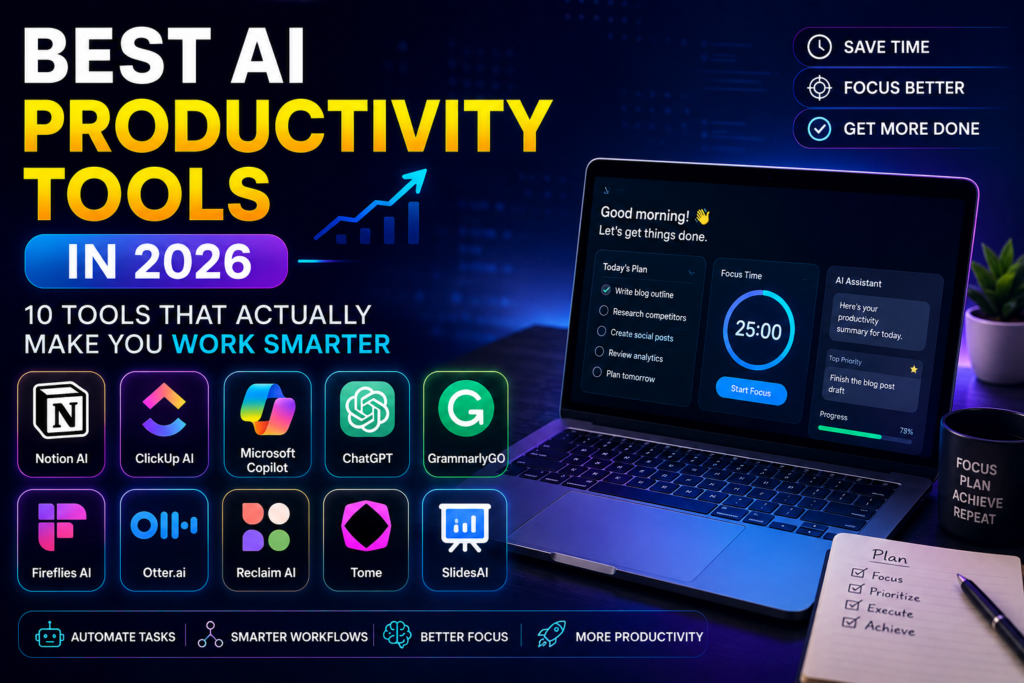

Here is a number worth sitting with for a moment: 75% of global knowledge workers now use generative AI, and adoption has nearly doubled in just six months. That shift didn’t happen because people suddenly became tech enthusiasts. It happened because the tools got genuinely useful. Today, there is a purpose-built AI tool for almost every task on your to-do list — writing, research, meetings, scheduling, project management, and automation. The challenge in 2026 isn’t finding AI productivity tools. It’s figuring out which ones are actually worth your time and which ones are just clever marketing.
This guide covers the best AI productivity tools in 2026 — organised by what they actually do, priced honestly, and written for people who want to work smarter without spending hours evaluating software. Whether you’re a solo professional, a startup founder, or managing a team, there is something useful in this list for you.
💡 Quick Answer: The best AI productivity stack for most professionals in 2026 is ChatGPT or Claude for writing and thinking, Perplexity for research, Fireflies or CraftNote for meetings, and Notion AI for documents. Start with two, not six.
⚡ Quick Comparison: Best AI Productivity Tools 2026
| Tool | Best For | Free Plan | Starting Price |
|---|---|---|---|
| ChatGPT | All-round AI assistant | ✅ Yes | $20/month Plus |
| Claude | Writing, analysis, long docs | ✅ Yes | $20/month Pro |
| Perplexity | AI-powered research | ✅ Yes | $20/month Pro |
| Notion AI | Documents & team knowledge | ✅ Yes | $10/month AI add-on |
| Fireflies.ai | Meeting transcription & notes | ✅ Yes | $10/month Pro |
| Motion | AI scheduling & task planning | ❌ Trial only | $19/month Pro AI |
| Zapier | Workflow automation | ✅ Yes | $19.99/month Pro |
| Grammarly | Writing assistance | ✅ Yes | $12/month Premium |
| Otter.ai | Meeting notes & voice transcription | ✅ Yes | $8.33/month Pro |
| Reclaim.ai | Smart calendar management | ✅ Yes | $8/month Starter |
🧠 Category 1: All-Round AI Assistants
🥇 1. ChatGPT — Best All-Round AI Productivity Tool
900 million weekly active users. That figure alone tells you something important — ChatGPT is not just popular, it’s become the default entry point for AI for most of the planet. And in 2026, it handles an extraordinarily wide range of tasks well: drafting emails, writing reports, analysing data, summarising documents, generating images, writing and debugging code, and brainstorming ideas. The May 2026 memory upgrade (Dreaming V3) means ChatGPT now remembers your preferences, projects, and context across sessions — making it feel less like a tool you query and more like a working partner you come back to.
The Plus plan at $20/month gives you GPT-5 access, image generation, file analysis, web search, and unlimited messaging. The free tier remains genuinely useful for light use. For teams, the Business + Codex plan at $20/user/month adds shared workspaces, admin controls, and API access — making it practical for organisations deploying AI at scale.
| ✅ Pros | ❌ Cons |
|---|---|
| Handles the widest range of tasks of any AI tool | Can produce confident-sounding wrong answers |
| Memory now available to free users (May 2026) | GPT-5.5 locked behind Pro plan ($200/month) |
| Image generation, web search, and code all included | Not best-in-class for any single task |
📌 Best for: Anyone who wants one AI tool that handles everything reasonably well. The natural starting point for AI productivity.
🥈 2. Claude — Best AI Tool for Writing, Analysis and Long Documents
If you do a lot of serious writing, document analysis, research synthesis, or complex reasoning, Claude has a strong claim to being the most useful AI assistant in 2026. Built by Anthropic, Claude consistently outperforms competitors on tasks requiring careful thinking, nuanced writing, and working with long documents. The 200,000-token context window (roughly 150,000 words) means you can paste an entire book, contract, or codebase and ask Claude to analyse it — something ChatGPT handles less reliably.
Claude Pro at $20/month gives access to Opus 4.8 — the model that scores 80.9% on SWE-bench and consistently ranks at or near the top of professional writing benchmarks. Notably, 65% of new enterprise AI contracts in March 2026 went to Anthropic rather than OpenAI, driven largely by Claude’s performance on complex business tasks and its reputation for honesty — it’s less likely to confidently fabricate answers than most competitors.
| ✅ Pros | ❌ Cons |
|---|---|
| Best for long documents — 200K token context | No image generation (unlike ChatGPT) |
| Genuinely careful and honest in its responses | Web search less polished than ChatGPT or Perplexity |
| Preferred by enterprises for complex writing tasks | Free tier more limited than ChatGPT’s |
📌 Best for: Professionals who write, analyse, and reason for a living — lawyers, consultants, researchers, journalists, and developers working with complex documentation.
🔍 Category 2: AI Research Tools
🔎 3. Perplexity AI — Best AI Tool for Research
Perplexity is what Google Search would look like if it was rebuilt from scratch in 2026. Instead of returning ten blue links, it delivers a direct answer synthesised from an average of 42 sources — with every claim cited so you can verify it. For anyone who spends significant time researching topics online, Perplexity eliminates the click-and-skim loop that consumes hours of research time every week.
The free tier is genuinely useful for everyday queries. Perplexity Pro at $20/month unlocks unlimited Pro searches (which use more powerful models), access to GPT-5, Claude Opus 4.8, and Gemini, file uploads, and image generation. A standout feature is Perplexity Deep Research — which autonomously searches, reads, and synthesises dozens of sources into a comprehensive research report in minutes. A task that previously took hours now takes under five.
| ✅ Pros | ❌ Cons |
|---|---|
| Every answer is cited — easy to verify sources | Less useful for creative or generative tasks |
| Deep Research synthesises 42+ sources automatically | Can occasionally misattribute or oversimplify sources |
| Real-time web access — always current information | Pro plan needed for unlimited full-power searches |
📌 Best for: Students, journalists, analysts, consultants, and anyone who spends significant time researching topics online. Replaces Google for most research workflows.
📝 Category 3: AI Writing & Document Tools
📋 4. Notion AI — Best AI Tool for Documents and Team Knowledge
Notion AI takes what was already the best all-in-one workspace for notes, wikis, projects, and databases — and adds AI that actually understands your content. You can ask questions about your entire workspace, generate summaries of meeting notes, draft documents from bullet points, translate content into different languages, and get AI-assisted auto-fill for database properties. The difference from a standalone AI tool is context: Notion AI knows what’s in your workspace, not just what you type in the chat box.
For teams building a shared knowledge base, Notion AI transforms the workspace from a document library into something you can actually ask things. The AI add-on is $10/member/month, added on top of a Notion plan. For a solo professional, the Plus plan ($16/month) with AI ($10/month) works out to $26/month total — steep for an individual, but excellent value for teams.
| ✅ Pros | ❌ Cons |
|---|---|
| AI understands your workspace — not just chat input | Expensive for solo users when stacked with plan cost |
| Q&A across your entire document library | Can feel slow on large workspaces |
| Database AI fill saves hours of manual data entry | Learning curve for Notion itself before AI adds value |
📌 Best for: Teams that already use Notion for documentation, project management, or knowledge management — and want AI to make that knowledge searchable and actionable.
✍️ 5. Grammarly — Best AI Writing Assistant
Grammarly has evolved well beyond spell-checking. In 2026, it offers full sentence rewrites, tone adjustments, clarity improvements, and AI-generated drafts — directly inside Gmail, Google Docs, Microsoft Word, Slack, and most browsers. The new Grammarly Go feature lets you generate entire email drafts, meeting agendas, and summaries from a short prompt, in your own writing style.
The free tier catches the basics. Premium at $12/month unlocks full writing suggestions, tone detection, and AI rewrites. For teams, Grammarly Business at $15/user/month adds style guides, brand voice settings, and analytics — useful for organisations that need consistent communication quality across many writers.
📌 Best for: Professionals who communicate heavily in writing — managers, sales teams, customer support, and anyone who wants their emails and documents to sound polished without spending extra time editing.
🎙️ Category 4: AI Meeting Tools
🎤 6. Fireflies.ai — Best AI Meeting Transcription and Notes Tool
If you spend several hours per week in meetings, Fireflies.ai will save you more time than almost any other tool in this list. It joins your Zoom, Google Meet, or Teams calls automatically, transcribes everything in real time, identifies speakers, generates a structured summary with action items, and delivers it to your inbox within minutes of the call ending. You stop scrambling for notes and start paying attention to the conversation.
The free tier covers 800 minutes of storage — enough for light use. Pro at $10/month gives unlimited transcription, AI summaries, searchable meeting history, and CRM integrations. The AskFred AI assistant lets you query your entire meeting history — “what did we decide about the product roadmap in April?” — and get an answer with timestamps.
| ✅ Pros | ❌ Cons |
|---|---|
| Automatic — joins calls without any manual setup | Some attendees uncomfortable with AI bot in meetings |
| Searchable meeting history across all past calls | Transcription accuracy drops in noisy environments |
| CRM integrations push notes to Salesforce, HubSpot | Free tier limited to 800 minutes storage |
📌 Best for: Sales teams, managers, consultants, and anyone who runs multiple meetings per week and needs reliable notes without the manual effort.
🎧 7. Otter.ai — Best for Voice Transcription and Meeting Notes
Otter.ai is Fireflies’ closest competitor and in some ways its more polished cousin. The real-time transcription is excellent — you can watch text appear on screen as people speak, which makes it particularly useful for accessibility. OtterPilot joins Zoom, Meet, and Teams calls automatically, generates meeting summaries, and can push action items directly to Asana, Notion, or Slack. The free plan is generous at 300 minutes/month, and Pro at $8.33/month is the most affordable full-featured meeting AI available.
📌 Best for: Individuals and small teams who want reliable, affordable meeting transcription without a heavy feature set.
📅 Category 5: AI Scheduling and Task Management
🗓️ 8. Motion — Best AI Tool for Smart Scheduling
Motion solves a problem that’s surprisingly hard: automatically scheduling your tasks around your meetings in real time. You add tasks with deadlines and estimated durations. Motion’s AI looks at your calendar, figures out when you have available focus time, and slots each task in automatically. When a meeting gets added or a deadline changes, it reschedules everything automatically. You stop maintaining a to-do list and start trusting your calendar.
Pro AI at $19/seat/month includes AI chat for planning conversations, calendar integration, and task management. Business AI at $29/seat/month adds team capacity planning and timeline views. Motion works best when you commit to it fully — it’s your primary scheduling system, not a sidebar addition. Users who do this report saving 2–3 hours per week on planning overhead.
📌 Best for: Professionals with heavy meeting loads and many concurrent tasks who want AI to handle the scheduling puzzle automatically. Not ideal for people with simple, low-volume to-do lists.
📆 9. Reclaim.ai — Best for Smart Calendar Habits
Reclaim.ai takes a lighter-touch approach to AI scheduling than Motion. Rather than taking over your entire planning system, it focuses on protecting the habits and focus time that matter most — automatically blocking time for deep work, lunch breaks, exercise, and recurring tasks, and rescheduling them when meetings intrude. It integrates with Google Calendar and syncs tasks from Asana, Linear, Todoist, and Jira. The free tier is genuinely useful for individuals, and Starter at $8/month unlocks full habit protection and task sync.
📌 Best for: Knowledge workers who want to protect focus time and healthy work habits without fully overhauling their planning system.
⚙️ Category 6: AI Automation Tools
🔗 10. Zapier — Best AI Workflow Automation Tool
Zapier connects over 7,000 apps through automated workflows called Zaps. The new Zapier Copilot lets you describe an automation in plain English — “when someone fills my Typeform, add them to my Mailchimp list and send me a Slack notification” — and it builds the Zap automatically. The recently bundled Tables, Interfaces, and Zapier MCP turn Zapier from a simple connector into a light data platform and AI orchestration layer. For non-technical teams who want to automate repetitive multi-app workflows without writing code, Zapier remains the most accessible solution available.
📌 Best for: Marketing, operations, and sales teams who want to automate repetitive workflows across multiple tools without any technical expertise.
🎯 Best AI Productivity Stack for Different Roles
| Who You Are | Recommended Stack | Approx. Monthly Cost |
|---|---|---|
| 🧑💼 Solo Professional | ChatGPT Plus + Perplexity Pro + Otter.ai Pro | ~$48/month |
| ✍️ Writer / Journalist | Claude Pro + Perplexity Pro + Grammarly Premium | ~$52/month |
| 📊 Manager / Team Lead | ChatGPT Plus + Fireflies Pro + Notion AI + Motion | ~$69/month |
| 🧑💻 Developer | Claude Pro + GitHub Copilot Pro + Perplexity Pro | ~$50/month |
| 🏢 Small Business Team | ChatGPT Business + Zapier Pro + Fireflies Pro | ~$50/user/month |
| 🎓 Student / Researcher | ChatGPT Free + Perplexity Free + Otter.ai Free | Free to start |
✍️ Our Take: Start Small, Commit Fully
The biggest mistake people make with AI productivity tools in 2026 is trying too many at once. They sign up for six tools, use each one occasionally, build no real habits, and decide after three weeks that “AI doesn’t really help.” The tools that genuinely change how you work are the ones you use every single day until they become reflexive — until reaching for Perplexity instead of Google, or letting Fireflies handle meeting notes, feels as natural as opening email.
Pick one or two from this list that address your biggest daily friction point. Use them seriously for four weeks. Once they’re habits, add one more. That compounding approach is how the professionals getting the most out of AI in 2026 are working — not by having the most tools, but by having the right ones deeply embedded in their daily flow.
❓ Frequently Asked Questions
What is the best AI productivity tool in 2026?
For most people, ChatGPT Plus ($20/month) is the best starting point — it handles the widest range of tasks and has the lowest learning curve. For serious writing and analysis, Claude Pro is arguably stronger. For research specifically, Perplexity Pro is unmatched.
Which AI productivity tools are free?
ChatGPT, Claude, Perplexity, Notion, Grammarly, Fireflies, Otter.ai, Reclaim.ai, and Zapier all offer free plans. For a zero-cost AI productivity stack, start with ChatGPT Free + Perplexity Free + Otter.ai Free — these three cover writing, research, and meeting notes without spending a rupee.
Is Claude better than ChatGPT for productivity?
For writing, analysis, and long documents — yes, most professionals find Claude stronger. For breadth of tasks, image generation, and casual everyday use — ChatGPT has the edge. Many power users run both and switch based on the task. Both cost $20/month for their mid-tier plans.
What AI tools should students use for productivity?
Start with free tiers: ChatGPT Free for writing and study help, Perplexity Free for research with cited sources, and Otter.ai Free for lecture transcription. All three are free, powerful, and cover the core productivity needs of most students without any subscription cost.
How much should I spend on AI productivity tools per month?
A well-chosen stack of two to three tools costs $30–$50/month for most professionals. Start free, identify what you actually use every day, and only pay for the tools you’d genuinely miss if they disappeared. Don’t subscribe to six tools and use each one occasionally — that’s the most expensive way to get the least value from AI.
Follow our AI4Planet Weekly News and AI Tools pages for the latest updates every week. Which AI productivity tool has made the biggest difference to your workflow? Drop it in the comments — we read every one.
Tags: best AI productivity tools 2026, ChatGPT productivity, Claude AI writing tool, Perplexity AI research, Notion AI documents, Fireflies meeting transcription, Motion AI scheduling, Zapier workflow automation, Grammarly AI writing, Otter.ai meeting notes, Reclaim.ai calendar, AI tools for professionals 2026, AI tools for students, free AI productivity tools, best AI stack 2026



Pingback: Best ChatGPT Alternatives in 2026: Claude, Gemini, Perplexity, Copilot and DeepSeek Compared - AI4Planet